J5CREATE GEN 2 4K 60 ELITE USB-C
If you have any questions, you are always welcome to contact us. We'll get back to you as soon as possible, within 24 hours on weekdays.
-
Shipping Information
Use this text to answer questions in as much detail as possible for your customers.
-
Customer Support
Use this text to answer questions in as much detail as possible for your customers.
-
FAQ’s
Use this text to answer questions in as much detail as possible for your customers.
-
Contact Us
Use this text to answer questions in as much detail as possible for your customers.
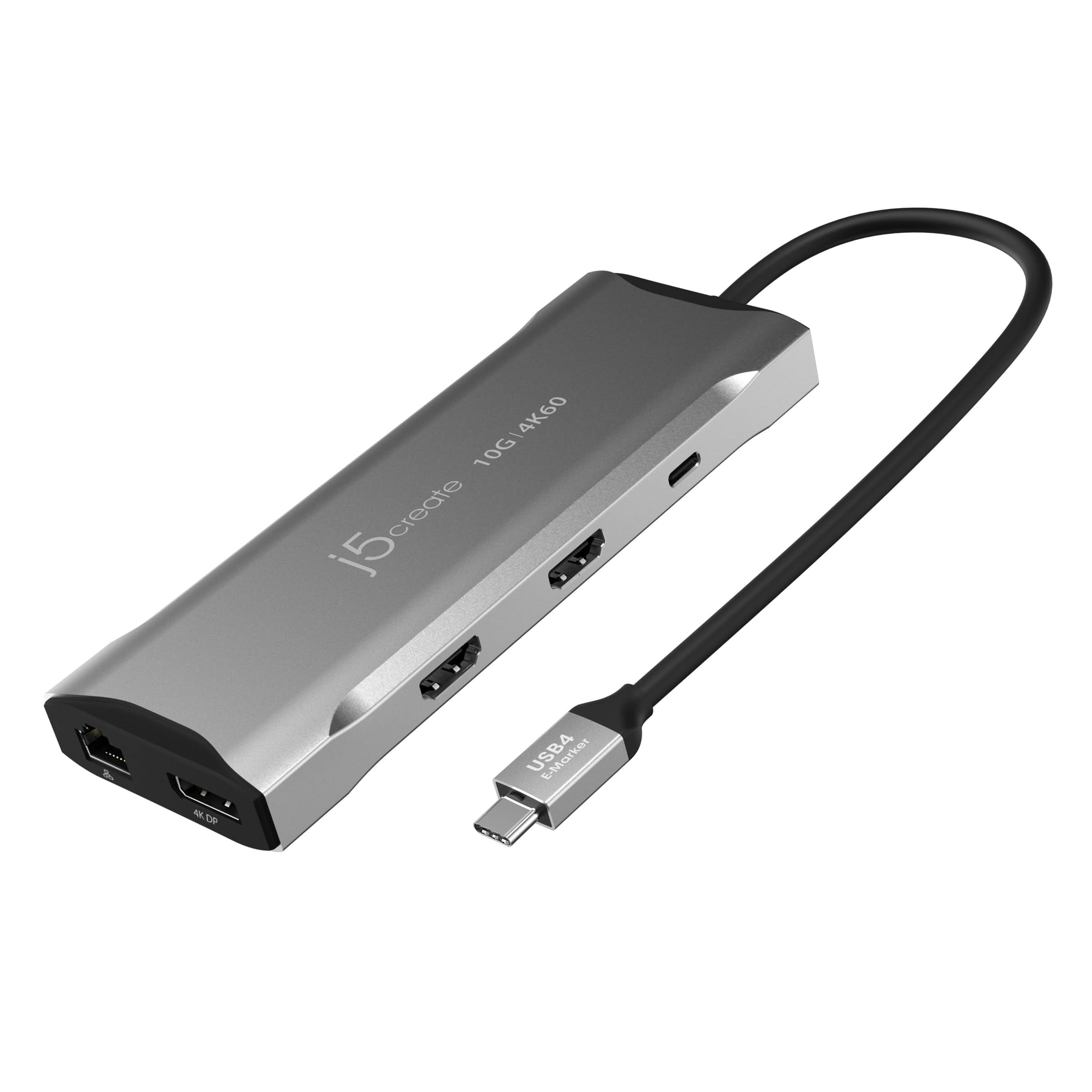
The J5CREATE GEN 2 4K 60 ELITE USB-C mini dock offers comprehensive connectivity for your workstation. Equipped with an advanced USB-C® E-Mark chip, this dock is compatible with USB4™ hosts and devices, providing everything from triple video outputs to high-speed 10Gbps USB™ ports and 100W Power Delivery pass-through charging.
Key Features at a Glance
- Advanced USB-C® E-Mark chip for USB4™, Thunderbolt™ 3, and Thunderbolt™ 4 compatibility.
- Supports dual 4K 60 Hz or triple 4K 30 Hz displays (2 HDMI™, 1 DisplayPort™).
- Three SuperSpeed USB™ 10Gbps downstream ports (1 USB-C®, 2 Type-A).
- Provides 100W Power Delivery pass-through charging to host and peripherals.
- Integrated SD™ & microSD™ 4.0 memory card reader/writer.
- Gigabit Ethernet port for reliable wired network access.
Seamless Multi-Monitor Workstation
This mini dock supports DisplayPort™ 1.4 and Multi-Stream Transport (MST), enabling you to create a versatile workstation with two HDMI™ and one DisplayPort™ output. Easily extend one display up to 3840 x 2160 @ 60 Hz, or enjoy higher refresh rates up to 2560 x 1440 @ 144 via HDMI™ or 1920 x 1080 @ 240 via DP™ Port for gaming under Windows® OS.
High-Speed Connectivity and Power
Connect your peripherals with three USB™ SuperSpeed 10 Gbps ports, including one USB-C® and two USB™ Type-A ports, for both data transfer and downstream charging. With Power Delivery 3.0, the dock provides up to 100W pass-through charging to power connected peripherals and charge your host laptop using a USB-C® power adapter.
Integrated Media and Network Access
Manage your media files with the built-in SD™ & microSD™ 4.0 memory card reader/writer. For stable and fast internet access, the Gigabit Ethernet port offers reliable wired network connectivity, ensuring smooth data flow for all your tasks.
Technical Specifications
| Hardware | |
|
Warranty |
2 Year Limited |
|
Host Connector |
1 - USB-C® Male |
|
Video Output |
2 - HDMI™ Female 1 - DisplayPort™ Female |
|
Power Source |
Bus-powered or self-powered |
|
Network Interface |
RJ45 (Gigabit Ethernet) |
|
Audio Supported |
Yes |
|
Ports |
|
| Performance | |
|
Maximum Display Resolution |
3840 x 2160 |
|
Maximum Display Refresh Rate |
Windows® (MST) 3840 x 2160 @ 60 Hz 2560 x 1440 @ 120 Hz 1920 x 1080 @ 144 Hz |
|
Maximum Data Transfer Rate |
10Gbps |
|
Displays Supported |
3 |
|
Compatible Networks |
10/100/1000 Mbps |
|
Audio Channel |
2.1 via HDMI™ |
| Power | |
|
Power Delivery |
Up to 100W via USB-C® |
|
Power Consumption |
≤ 650 mA |
|
Input Current |
Up to 5A |
|
Input Voltage |
Up to 20V |
|
Output Current |
Up to 4.25A |
|
Output Voltage |
Up to 20V |
| Physical Specifications | |
|
Color |
Space Grey |
|
Enclosure Type |
Aluminum |
|
Cable Length |
7.87 in. (20 cm) |
|
Product Height |
5.8 in. (148 mm) |
|
Product Width |
2.17 in. (55 mm) |
|
Product Depth |
0.67 in. (17 mm) |
|
Product Weight |
4.36 oz (123.5g) |
|
Storage Temperature |
0 to 155°F (-17 to 68°C) |
|
Storage Humidity |
< 85% non-condensing |
|
Operating Temperature |
30 to 116°F (-1 to 41°C) |
|
Operating Humidity |
< 85% non-condensing |
Frequently Asked Questions
Q: What are the system requirements for this dock?
A: An available USB-C® port that supports DisplayPort™ alternate mode and USB™ Power Delivery 2.0 or 3.0 is required. For 4K resolution at 60 Hz, your host device must support DisplayPort™ 1.4. Refer to your computer's manufacturer for device-specific information.
Q: Is this dock compatible with macOS® or Chrome OS™?
A: The MST protocol is not currently supported by macOS® or Chrome OS™. When connected to these operating systems, the display output will be limited to mirrored mode.
Q: What is included in the package?
A: The package includes one JCD397 4K60 Elite USB-C® Triple-Monitor 10Gbps Mini Dock and one Quick Installation Guide (QIG).