


Save 63%
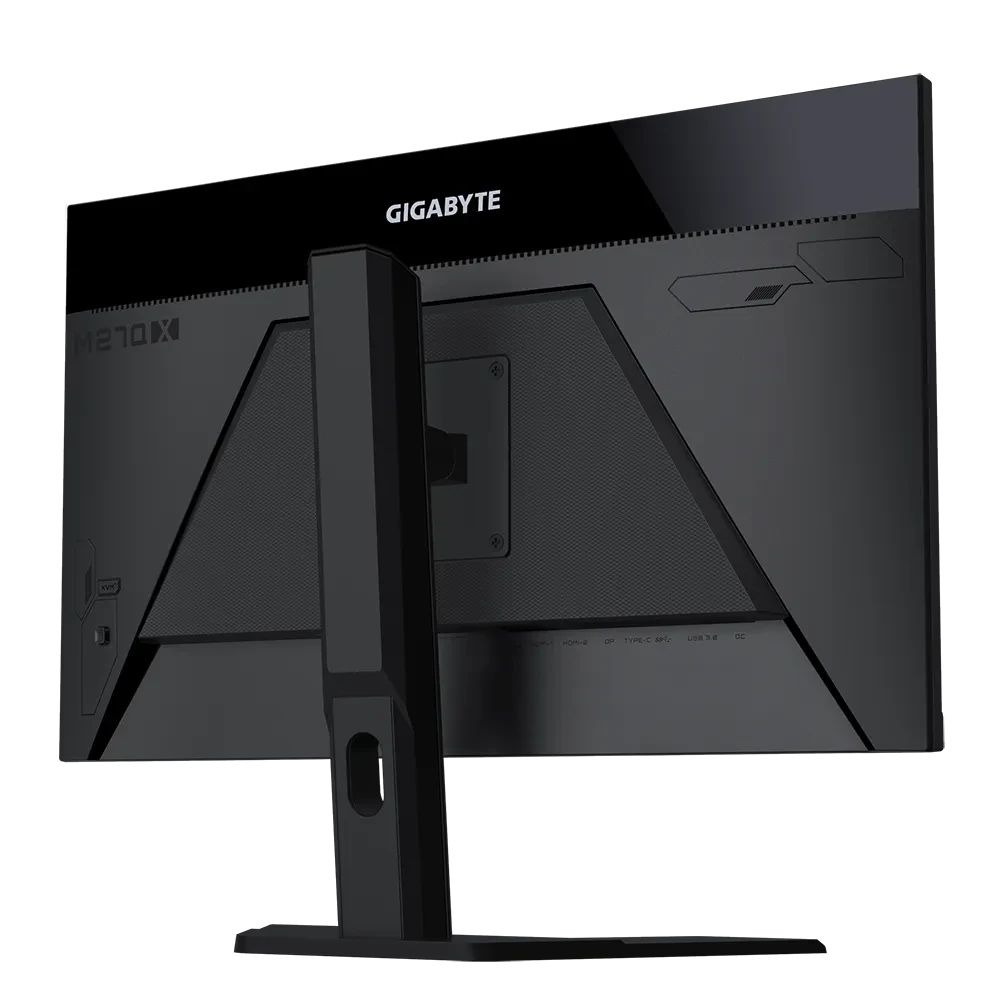
GIGABYTE M27Q X 27 INCH GAMING MONITOR
Out of stock
If you have any questions, you are always welcome to contact us. We'll get back to you as soon as possible, within 24 hours on weekdays.
-
Shipping Information
Use this text to answer questions in as much detail as possible for your customers.
-
Customer Support
Use this text to answer questions in as much detail as possible for your customers.
-
FAQ’s
Use this text to answer questions in as much detail as possible for your customers.
-
Contact Us
Use this text to answer questions in as much detail as possible for your customers.
Specifications:
| Category | Details |
|---|---|
| Panel Size (diagonal) | 27”SS IPS |
| Display Viewing Area (HxV) | 596.736 (H) x 335.664 (V) mm |
| Panel Backlight/Type | Edge |
| Display Surface | Non-glare |
| Color Saturation | 92% DCI-P3 / 140% sRGB |
| True Resolution | 2560 x 1440 (QHD) |
| Pixel Pitch | 0.2331(H) x 0.2331(V) mm |
| Brightness | 350 cd/m2 (TYP) |
| Contrast Ratio | 1000:1 |
| Viewing Angle | 178° (H) / 178° (V) |
| Display Colors | 10 bits (8 bits + FRC) |
| Response Time | 1ms GTG |
| Refresh Rate | 240Hz |
| HDR | VESA Display HDR400 |
| Flicker-free | Yes |
| HBR3 | Yes |
| Connectivity | 2 x HDMI 2.0 1 x DisplayPort 1.4 1 x USB Type-C (Alternate Mode; Upstream port; Power Delivery up to 18W) 2 x USB 3.0 Downstream ports 1 x USB 3.0 Upstream port 1 x Earphone Jack |
| Speaker | 2W x 2 |
| Unique Features | OSD Sidekick Aim Stabilizer Sync Black Equalizer Dashboard Crosshair Timer Counter PiP/PbP Auto-Update KVM 6 axis Color Control Smart OD |
| Power Type | Power adapter |
| Power Consumption | 25W* |
| Power Saving Mode | 0.5W |
| Power Off Mode | 0.3W |
| Voltage | 19Vdc, 4.74A |
| Tilt (angle) | -5° ~ +20° |
| Swivel (angle) | N/A |
| Pivot (angle/direction) | N/A |
| Height Adjustment (mm) | 130 mm |
| VESA Wall Mounting | 100 x 100 mm |
| Kensington Lock | Yes |
| Physical Dimension with Stand (WxHxD) | 615.11 x 535.66 x 193.68 mm |
| Physical Dimension without Stand (WxHxD) | 615.11 x 367.35 x 42.22 mm |
| Box Dimension (WxHxD) | 720 x 470 x 200 mm |
| Net Weight with Stand | 5.2 kg |
| Net Weight without Stand | 3.5 kg |
| Gross Weight | 7.58 kg |
| Accessories | Power cable, HDMI cable, DP cable, USB cable, QSG, Warranty card |
| Note | *The test condition follows CEC standards. **To enable OSD Sidekick, it requires connection between PC and monitor with USB (A-Male to B-Male) cable. |