

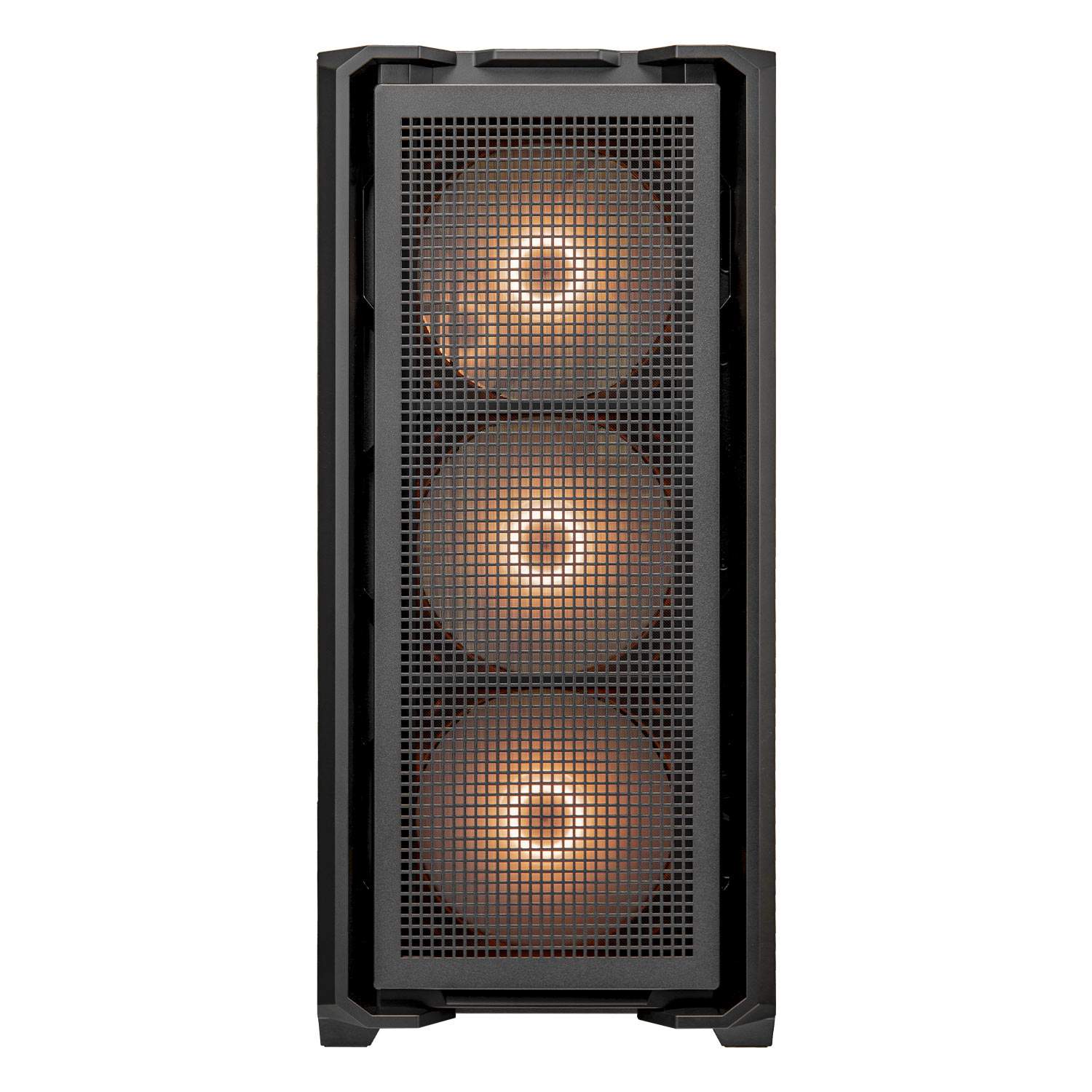


Cougar MX600 RGB Full Tower Cabinet
Cougar MX600 RGB Full Tower Cabinet
If you have any questions, you are always welcome to contact us. We'll get back to you as soon as possible, within 24 hours on weekdays.
-
Shipping Information
Use this text to answer questions in as much detail as possible for your customers.
-
Customer Support
Use this text to answer questions in as much detail as possible for your customers.
-
FAQ’s
Use this text to answer questions in as much detail as possible for your customers.
-
Contact Us
Use this text to answer questions in as much detail as possible for your customers.
Elevate your gaming or workstation setup with the Cougar MX600 RGB Full Tower Cabinet. Designed to house high-performance components, this cabinet combines expansive space with vibrant RGB lighting to create a powerful and visually stunning build.
Key Features at a Glance
- Full Tower design offers ample internal space for components.
- Integrated RGB lighting provides dynamic and customizable visual effects.
- Supports a wide range of motherboard and GPU sizes for build flexibility.
- Optimized internal layout ensures superior airflow and cooling performance.
- Robust construction guarantees durability and stability for your system.
Expansive Interior for Ultimate Builds
The Cougar MX600 provides a generous internal layout, offering ample room for high-end motherboards, multiple graphics cards, and extensive cooling solutions. This full tower cabinet ensures you have the space needed for a powerful and future-proof system, accommodating even the largest components with ease.
Dynamic RGB Illumination
Enhance your setup's aesthetic with customizable RGB lighting. The Cougar MX600 RGB Full Tower Cabinet allows you to personalize your build with brilliant lighting effects, making your PC a true centerpiece. Sync with your other RGB components for a cohesive and immersive visual experience.
Optimized for Peak Performance Cooling
Engineered with superior ventilation in mind, the MX600 RGB cabinet supports multiple fan configurations and liquid cooling radiators. Its thoughtful design promotes excellent airflow, effectively dissipating heat and keeping your components cool even during intense gaming sessions or heavy workloads, ensuring optimal performance.
Technical Specifications
| Product Name | MX600 RGB | |
|---|---|---|
| Case Form Factor | Full Tower | |
| Motherboard Type | Mini ITX / Micro ATX / ATX / CEB / E-ATX | |
| Dimensions (WxHxD) | 235 x 515 x 478 (mm) 9.3 x 20.3 x 18.8 (in) |
|
| I/O Panel | Type C Gen 2 (Key A 20-pin connector) x 1, USB 3.0 x 2, 4 Pole Headset Audio Jack, RGB Button |
|
| 3.5" Drive Bay | 1 | |
| 2.5" Drive Bay | 3+1 (converted from 3.5" drive bays) | |
| Expansion Slots | Horizontal : 8 Vertical : 3 (install with a vertical bracket in the accessory kit) |
|
| Vertical GPU Support | Yes | |
| Cooling Fan Support | Front | 120mm x 3 / 140mm x 3 |
| Top | 120mm x 3 / 140mm x 3 | |
| PSU Shroud | 120mm x 2 | |
| Rear | 120mm x 1 / 140mm x 1 | |
| Pre-installed Fans | Front | 140mm ARGB fan x 3 |
| Rear | 120mm ARGB fan x 1 | |
| Speed | 140mm ARGB fan: 500-1200 ± 10% RPM 120mm ARGB fan: 500-1400 ± 10% RPM |
|
| Connector | 5V 3 Pin (ARGB) / 4 Pin PWM (Fan) | |
| Maximun Number of Fans | 9 | |
| Water Cooling Support | Front | 360mm / 280mm / 240 mm / 140 mm / 120mm |
| Top | 360mm / 280mm / 240 mm / 140 mm / 120mm | |
| PSU Shroud | 240 mm / 120mm | |
| Rear | 140 mm / 120mm | |
| Transparent Left Panel | Yes | |
| RGB Sync with M/B | Yes | |
| Max. Graphics Card Length | 400 (mm) / 15.7 (in) | |
| Max. CPU Cooler Height | 180 (mm) / 7.1 (in) | |
| Max. PSU Length | 180 (mm) / 7.1 (in) | |
Frequently Asked Questions
Q: What type of cabinet is the Cougar MX600 RGB?
A: It is a full tower cabinet, designed for comprehensive PC builds.
Q: Does the Cougar MX600 RGB feature any special lighting?
A: Yes, it includes integrated RGB lighting for customizable visual effects.
Q: Is this cabinet suitable for high-performance gaming systems?
A: Absolutely. Its full tower design, ample interior space, and cooling optimization make it ideal for high-performance component builds.
