


DELL P3223QE MONITOR - 31.5-INCH 4K (3840 X 2160) 60HZ USB-C HUB MONITOR
If you have any questions, you are always welcome to contact us. We'll get back to you as soon as possible, within 24 hours on weekdays.
-
Shipping Information
Use this text to answer questions in as much detail as possible for your customers.
-
Customer Support
Use this text to answer questions in as much detail as possible for your customers.
-
FAQ’s
Use this text to answer questions in as much detail as possible for your customers.
-
Contact Us
Use this text to answer questions in as much detail as possible for your customers.
Elevate your professional workspace with the DELL P3223QE MONITOR. This 31.5-inch 4K (3840 x 2160) 60Hz USB-C Hub Monitor delivers exceptional clarity and extensive connectivity, making it an ideal choice for productivity and detail-oriented tasks. Experience a vibrant display, ergonomic comfort, and smart features designed to streamline your workflow.
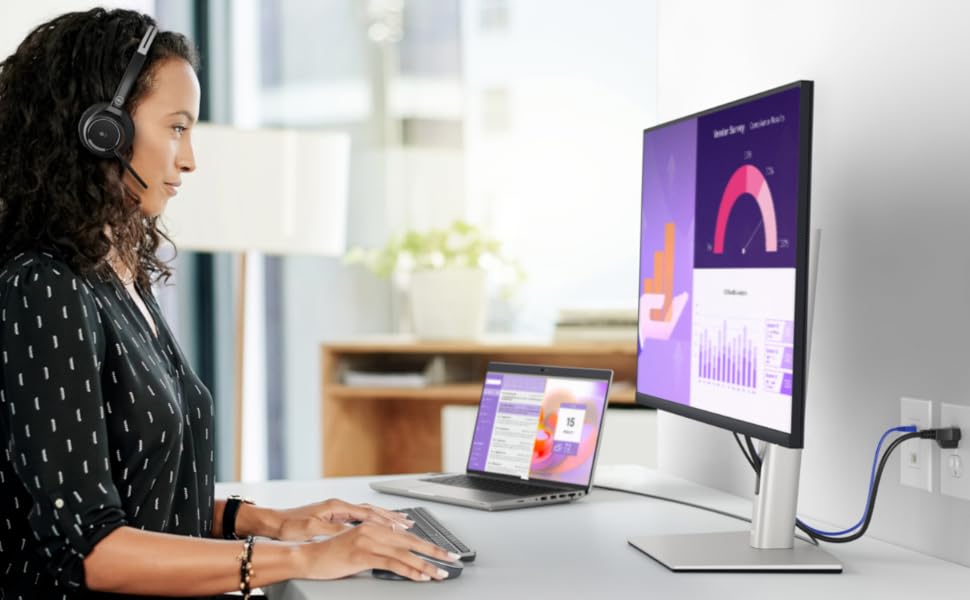
Key Features at a Glance
- Brilliant 31.5-inch 4K (3840 x 2160) display for outstanding clarity and detail.
- Integrated USB-C Hub with HDMI, DisplayPort, RJ45, and 4 SuperSpeed USB 5 Gbps ports.
- ComfortView Plus reduces blue light emissions without compromising color.
- Adjustable stand allows tilt, swivel, pivot, and 150mm height adjustment.
- Improved cable management system for a clean and organized workspace.
- Dell Display Manager features Easy Arrange, auto-restore, and shortcut keys for enhanced multitasking.

Comfort-Centric Design and Flexible Adjustability
Designed with wellness in mind, the monitor includes ComfortView Plus, an always-on, built-in low blue light screen that reduces potentially harmful blue light without compromising color accuracy. Its stunning black finish, small base, and improved cable management system keep your desk tidy. Enjoy made-for-you comfort by tilting, swiveling, pivoting, and adjusting the height (150mm max) for optimal viewing.
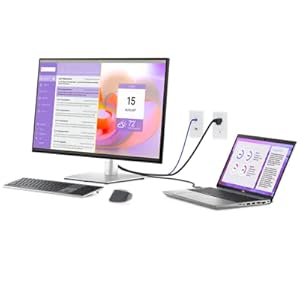
Streamlined Productivity and Workspace Organization
Jumpstart your productivity with the power sync feature; simply press the monitor button to seamlessly start your monitor and connected Dell PC, even with the laptop lid closed (compatible with select Dell PCs). Achieve a clutter-free setup as your monitor acts as a productivity hub with RJ45 for wired Ethernet connectivity and USB-C providing up to 90W power delivery.
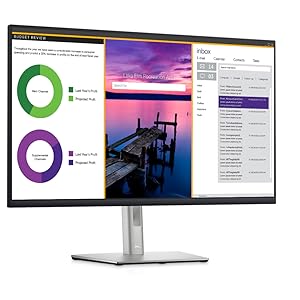
Advanced Multitasking with Dell Display Manager
Enhance your workflow with Dell Display Manager. Easy Arrange allows you to tile multiple applications across one or more screens using 38 pre-set window partitions and the ability to personalize up to five. The auto-restore feature remembers where you left off, ensuring applications return to their positions even after unplugging. Utilize shortcut keys for quick configuration of display settings, saving you time.
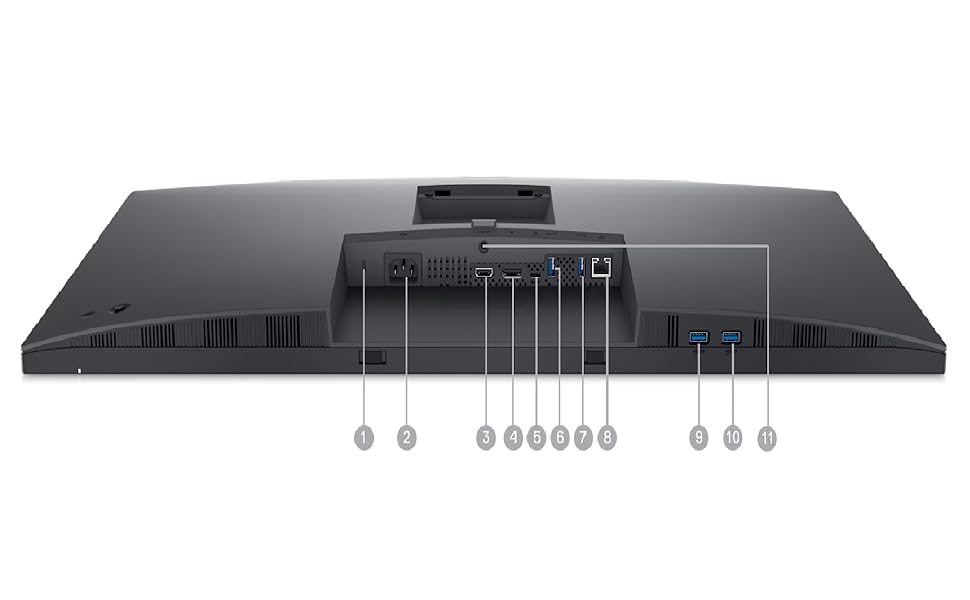
Extensive Connectivity for a Modern Workflow
Connect to a wide array of devices with comprehensive ports including a Security-lock slot, AC power port, HDMI port, DisplayPort (in), USB-C port, four USB-A downstream ports, an RJ45 connector, and a Stand lock. Convenient features like MAC Address pass-through, PXE Boot, and Wake-on-LAN are also built-in. Included cables are Power cable, DisplayPort to DisplayPort cable, USB Type-C cable, and USB Type-A to USB Type-C cable.
Technical Specifications
| Display Type | LED-backlit LCD monitor / TFT active matrix |
| Diagonal Size | 31.5" |
| Native Resolution | 4K 3840 x 2160 at 60 Hz |
| Color Support | 1.07 billion colors |
| Screen Coating | Anti-glare, 3H Hard Coating |
| Rotation Angle | 180 |
| Features | Security lock slot (cable lock sold separately), VESA interface support |
| Compliant Standards | RoHS, NFPA 99, BFR-free, PVC-free |
| Input Voltage | AC 100-240 V (50/60 Hz) |
| Power Consumption (On mode) | 30.6 W |
| Power Consumption (Max) | 180 Watt |
| Dimensions & Weight Details | With stand - width: 28 in - depth: 9.2 in - height: 24.4 in - weight: 21.8 lbs |
| Contrast Ratio | 1000:1 / 1000:1 (dynamic) |
| Aspect Ratio | 16:9 |
| Built-in Devices | USB 3.2 Gen 1/USB-C hub |
| Response Time | 8 ms (normal); 5 ms (fast) |
| Brand | Dell |
|---|---|
| Manufacturer | Dell Computers |
| Model | P3223QE |
| Model Name | P3223QE |
| Product Dimensions | 17.7 x 52.5 x 94.23 cm; 9.9 kg |
| Item model number | P3223QE |
| Processor Count | 1 |
| Hardware Interface | DisplayPort |
| Response Time | 8 Milliseconds |
| Resolution | 4K UHD 2160p |
| Special Features | Height Adjustment, Blue Light Filter |
| Display Technology | LCD |
| Standing screen display size | 32 Inches |
| Display Type | 4K |
| Colour Screen | Yes |
| Viewing Angle | 178 Degrees |
| Image brightness | m2 |
| Aspect Ratio | Unknown |
| Screen Resolution | 3840 x 2160 |
| Resolution | 3840 x 2160 Pixels |
| Maximum vertical resolution | 3840 Pixels |
| Voltage | 240 Volts (AC) |
| Batteries Included | No |
| Batteries Required | No |
| GSM frequencies | 60 Hz |
| Refresh Rate | 60 Hz |
| Total USB ports | 6 |
| Connector Type | DisplayPort,HDMI,USB-C,USB3.2 |
| Mounting Type | Wall Mount |
| Actual viewing angle | 178 Degrees |
| Does it contain liquid? | No |
| Manufacturer | Dell Computers |
| Country of Origin | China |
| Item Weight | 9 kg 900 g |
Frequently Asked Questions
Q: What is the native resolution of the DELL P3223QE Monitor?
A: This monitor features a 31.5-inch 4K (3840 x 2160) display.
Q: What types of connectivity ports does this monitor offer?
A: It offers HDMI, DisplayPort, USB-C, RJ45, and four SuperSpeed USB 5 Gbps downstream ports.
Q: Does the DELL P3223QE Monitor support ergonomic adjustments?
A: Yes, the monitor stand allows for tilt, swivel, pivot, and height adjustments up to 150mm.
