
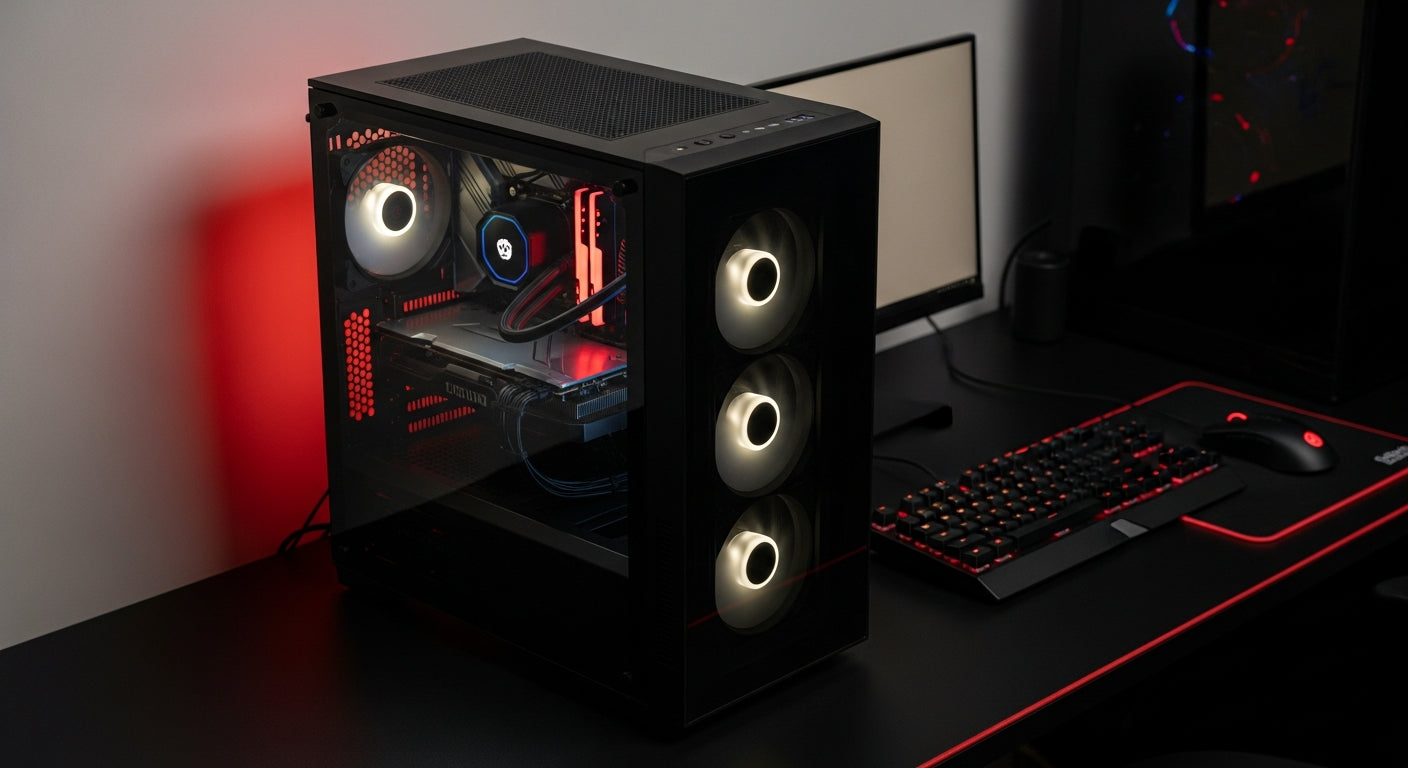
A PC case, often referred to as a computer chassis or tower, is the protective enclosure that houses all the essential internal components of a desktop computer, safeguarding them from dust, physical damage, and aiding in optimal thermal management.
Why Your PC Case Matters
- Protection & Organization: A good PC case shields sensitive internal components from environmental factors like dust, spills, and accidental bumps. It also provides dedicated bays and mounts for organized cable management, hard drives, and SSDs, ensuring a tidy and functional build.
- Cooling Performance: Proper airflow and mounting options for fans or liquid coolers are critical to prevent overheating. An efficient case design helps dissipate heat, maintaining optimal operating temperatures for your CPU, GPU, and other components, thus extending their lifespan and performance.
- Aesthetics & Personalization: Beyond functionality, the PC case defines the look of your entire setup. Modern cases offer tempered glass panels, RGB lighting, and unique designs, allowing for significant personalization to match your style. Even budget-friendly options can offer stylish features like translucent front panels and colorful ARGB fans, transforming your setup.
Key Factors When Choosing a PC Case
Size & Form Factor
- Compatibility: Ensure the case supports your motherboard's form factor (e.g., ATX, Micro-ATX, Mini-ITX) and has sufficient clearance for your GPU, CPU cooler, and power supply.
- Space Requirements: Consider your desk space and how much room you need for future upgrades or custom cooling solutions.
Airflow & Cooling Options
- Fan Mounts: Look for cases with multiple fan mounts (front, top, rear) and good ventilation to create positive or negative pressure for optimal cooling.
- Radiator Support: If planning liquid cooling, check for radiator size compatibility (e.g., 240mm, 360mm).
- Dust Filters: Essential for preventing dust buildup, improving component longevity and reducing maintenance.
Material & Build Quality
- Durability: Steel, aluminum, and tempered glass are common materials, offering varying levels of sturdiness and premium feel.
- Noise Dampening: Some cases feature sound-dampening materials for quieter operation.
Features & Connectivity
- Front I/O: USB 3.0, USB-C, audio jacks, and power/reset buttons on the front panel provide convenient access.
- Cable Management: Cutouts, tie-down points, and ample space behind the motherboard tray are key for clean builds.
- Drive Bays: Consider how many 2.5" (SSD) and 3.5" (HDD) drive bays you need.
Budget Considerations
- You don't need to break the bank for a functional and aesthetically pleasing case. Many budget-friendly options offer great features and design, including RGB lighting and good thermal management, making them excellent value buys.
Types of PC Cases
| Feature | Full Tower | Mid Tower | Mini-ITX / SFF |
|---|---|---|---|
| Size | Largest, maximum internal space | Standard, balanced size | Smallest, ultra-compact |
| Motherboard Support | E-ATX, ATX, Micro-ATX, Mini-ITX | ATX, Micro-ATX, Mini-ITX | Mini-ITX only |
| Expansion & Cooling | Max fans/radiators, multiple drives | Good balance for most builds | Limited, requires careful planning |
| Ideal Use Case | High-end gaming, custom liquid cooling, servers | Mainstream gaming, professional workstations | HTPC, minimalist setups, portable builds |
The Mehta Brothers Advantage
At Mehta Brothers, India's premier destination for genuine computer components and custom PC builds, we understand that the right PC case is crucial for both performance and peace of mind. We offer an unparalleled selection of PC cases from leading brands, catering to every need and budget.
- Genuine Products: We guarantee authentic components with official warranties.
- Expert Advice: Our team helps you select the perfect case that complements your components and build vision.
- Custom Builds: Experience a seamless custom PC build service, where every component, including your chosen case, is installed with precision.
Explore our extensive range of PC cases and build your dream machine with confidence, backed by official warranties and expert support, only at Mehta Brothers.
Frequently Asked Questions (FAQ)
Why is cooling important in a PC case?
- Effective cooling prevents components like the CPU and GPU from overheating, which can lead to performance throttling, instability, and even permanent damage. A well-designed case with good airflow ensures cooler operation, improving system stability and component lifespan.
What is the difference between tempered glass and acrylic side panels?
- Tempered Glass: Offers superior clarity, scratch resistance, and a premium feel. It's heavier and less prone to scratching but can shatter if struck forcefully.
- Acrylic: Lighter and more durable against impacts, but scratches easily and can become cloudy over time. It's often found in more budget-friendly cases.
Can any motherboard fit in any PC case?
- No, motherboard and PC case compatibility depend on their respective form factors. For example, an ATX motherboard will fit in a Mid Tower or Full Tower case but not in a Mini-ITX case. Always check the case specifications for supported motherboard sizes to ensure a proper fit.
Upgrade Your Setup with Mehta Brothers
Looking for genuine computer components, high-performance gaming gear, or expert custom PC builds? Mehta Brothers is India's trusted destination for authentic tech with official warranties and fast nationwide shipping.
Shop at Mehta Brothers ->
Unlock Your Game: The Ultimate Budget Gaming Processor Buying Guide for Indian Gamers 2026
The Intelligent Core: Ultimate Motherboard Buying Guide for Indian Gamers & AI Enthusiasts 2026