
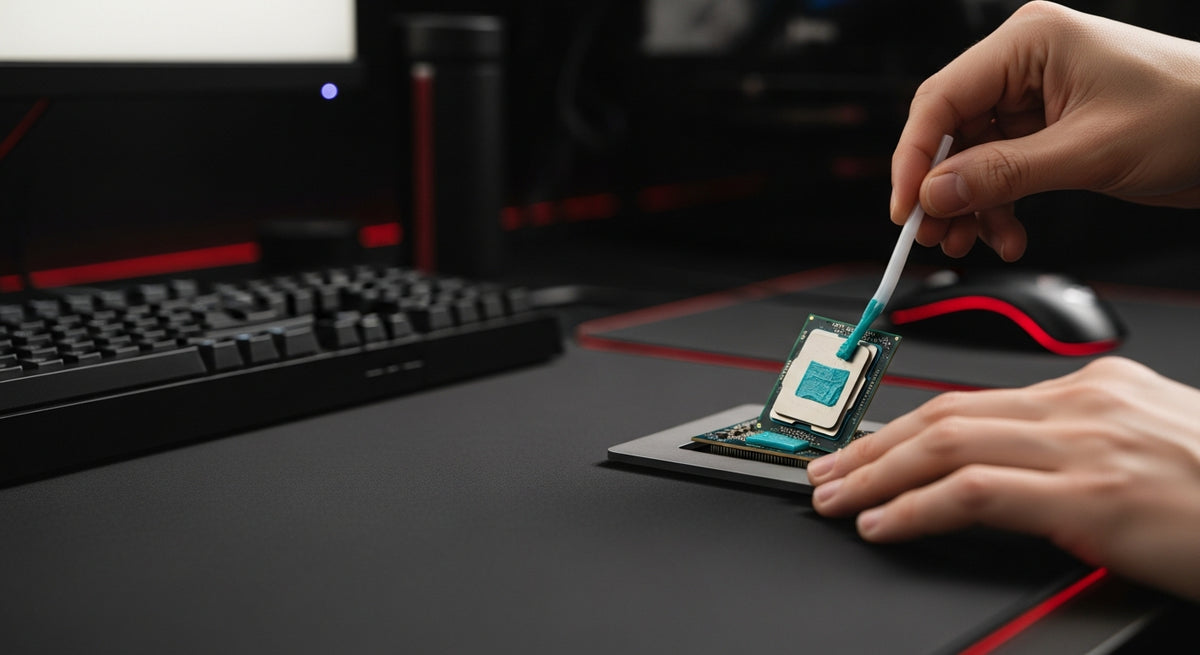
Thermal paste, also known as thermal compound or thermal grease, is a heat-conductive material applied between your computer's CPU or GPU and its respective cooler to fill microscopic air gaps, ensuring efficient heat transfer and preventing overheating.
What is Thermal Paste and Why is it Essential?
Modern CPUs and GPUs generate significant heat during operation. To dissipate this heat effectively, a cooler (heatsink and/or fan/liquid cooler) is mounted directly onto the processor. However, even the smoothest metal surfaces of a processor's integrated heat spreader (IHS) and a cooler's cold plate have microscopic imperfections.
- Bridging Micro-Gaps: Thermal paste fills these tiny air pockets, which are poor conductors of heat.
- Maximizing Contact: It creates a highly efficient thermal bridge, ensuring maximum surface contact for heat transfer.
- Optimizing Heat Dissipation: Without thermal paste, heat dissipation would be significantly hindered, leading to higher operating temperatures.
The Critical Role of Thermal Paste in PC Performance
Proper thermal management is not just about keeping your PC from shutting down; it's fundamental to its long-term health and performance output.
- Prevents Thermal Throttling: High temperatures force your CPU/GPU to reduce its clock speed (throttle) to prevent damage, drastically cutting performance during gaming or heavy workloads.
- Extends Hardware Lifespan: Consistent, lower operating temperatures reduce stress on components, significantly prolonging the life of your expensive hardware.
- Maintains Stability & Reliability: A well-cooled system is a stable system, preventing crashes, freezes, and unexpected reboots.
- Enables Overclocking: For enthusiasts looking to push their hardware limits, effective thermal paste is crucial for maintaining stability under increased voltage and clock speeds.
Demystifying Different Types of Thermal Paste
The world of thermal paste offers various formulations, each with distinct properties suited for different needs and user expertise.
1. Standard Thermal Grease (e.g., XERON NEX Series)
- Composition: Typically ceramic or metallic-based (zinc oxide, aluminum nitride, silver, etc.) in a silicone or grease carrier.
- Characteristics: Electrically non-conductive, soft, and easy to apply. Forms an ultra-thin interface layer for good thermal resistance reduction.
- Best Use: Ideal for mainstream PCs, laptops, and graphics cards. Examples like XERON's NEX E72 and NEX E75 offer reliable, long-term thermal performance for everyday cooling and maintenance.
2. Liquid Metal Composite Thermal Grease (e.g., XERON MAX E72)
- Composition: A unique blend combining the high thermal performance of liquid metal with the safety and ease of conventional paste.
- Characteristics: Features an embedded liquid metal microstructure that prevents shifting and leakage, ensuring consistent contact. Offers effective thermal conductivity exceeding 8 W/m·K.
- Best Use: A great solution for users seeking superior thermal performance without the extreme risks associated with pure liquid metal. The XERON MAX E72 provides improved long-term stability and easier application for high-performance builds.
3. Liquid Metal Thermal Paste (e.g., XERON LUX E71)
- Composition: Usually an alloy of gallium, indium, and tin.
- Characteristics: Boasts extremely high thermal conductivity (e.g., XERON LUX E71 rated at 26W/m·K), offering maximum heat transfer. However, it is electrically conductive and corrosive to aluminum.
- Best Use: Reserved for extreme enthusiasts and professional overclockers seeking the absolute best cooling performance, typically with nickel-plated copper cold plates and requiring very careful application.
Choosing the Right Thermal Paste for Your Build
Selecting the right thermal paste involves balancing performance, safety, and application difficulty.
- Thermal Conductivity (W/m·K): Higher values indicate better heat transfer. Enthusiasts often prioritize this for cutting-edge performance.
- Electrical Conductivity: Crucial consideration. If a paste is electrically conductive (like pure liquid metal), accidental spills can short-circuit components. Always check if your cooler's cold plate is compatible.
- Ease of Application: Some pastes are thicker or runnier, affecting how easily they spread and how much precision is needed.
- Longevity: The lifespan of a paste before it dries out or degrades. Quality pastes offer longer-term stability.
At Mehta Brothers, India's premier destination for genuine computer components, we understand that optimal thermal management is non-negotiable for peak PC performance. We stock a curated selection of thermal solutions to meet every builder's needs.
| Thermal Paste Type | Typical Thermal Conductivity (W/m·K) | Electrical Conductivity | Best Use Case |
|---|---|---|---|
| Standard Thermal Grease (e.g., XERON NEX Series) | 5 - 10 | Insulating | Mainstream PCs, Laptops, GPU cooling |
| Liquid Metal Composite (e.g., XERON MAX E72) | > 8 | Insulating (embedded microstructure) | High-performance builds needing enhanced cooling with ease of use |
| Liquid Metal (e.g., XERON LUX E71) | Up to 70+ (XERON LUX E71: 26) | Electrically Conductive | Enthusiast systems, maximum heat transfer, overclocking |
When to Apply or Reapply Thermal Paste
Knowing when to apply fresh thermal paste is key to maintaining optimal PC health.
- New Cooler Installation: Always apply fresh paste when installing a new CPU/GPU cooler.
- CPU/GPU Reinstallation: If you remove your cooler for any reason (e.g., cleaning, upgrade), clean off old paste and apply new.
- High Temperatures or Thermal Throttling: If you notice your PC running hotter than usual or experiencing performance drops, it's a strong indicator to check and replace your thermal paste.
- Routine Maintenance: While modern pastes last longer, a general recommendation is to check and potentially reapply thermal paste every 1-3 years as part of routine PC maintenance.
Whether you're building a new gaming rig or upgrading an existing workstation, Mehta Brothers offers a wide selection of genuine thermal pastes and next-gen cooling solutions, backed by official warranties, to ensure your custom PC performs flawlessly. Our experts can help you choose the ideal thermal solution for your specific needs.
Conclusion
Thermal paste may seem like a minor detail, but it's a powerhouse component in ensuring your PC's longevity, stability, and peak performance. Understanding its role and choosing the right type for your system is a small effort that yields significant returns in your computing experience.
Frequently Asked Questions (FAQ)
Q: Can I use too much thermal paste?
A: While it's better to have a little too much than too little, excessive thermal paste can be counterproductive. It can create a thicker layer, potentially hindering heat transfer, or squeeze out onto the motherboard, especially if it's electrically conductive. A thin, even layer is always best.
Q: How often should I replace thermal paste?
A: For most users, reapplying thermal paste every 2-3 years is sufficient. However, if you notice rising temperatures, a new cooler installation, or if you frequently disassemble your PC, it's wise to replace it more often. Enthusiasts might reapply annually.
Q: Is liquid metal thermal paste safe for all CPUs/coolers?
A: No. Pure liquid metal thermal paste is electrically conductive and can corrode aluminum coolers. It should only be used with nickel-plated copper or pure copper cold plates. Always verify compatibility and exercise extreme caution during application due to its conductive nature to avoid short-circuiting components around the CPU socket."
",Upgrade Your Setup with Mehta Brothers
Looking for genuine computer components, high-performance gaming gear, or expert custom PC builds? Mehta Brothers is India's trusted destination for authentic tech with official warranties and fast nationwide shipping.
Shop at Mehta Brothers ->
Liquid Cooling: The Future of PC Performance & Data Centers
QD-OLED vs WOLED vs Triple-Refresh: The Ultimate Gaming Monitor Showdown for Indian Gamers 2026